A small-business website launch checklist
For a small-business website launch, check that a visitor can understand the offer, find the terms that matter and complete the intended next step on a phone. The owner should also control the accounts needed to maintain it. A finished design alone does not prove that the site works.
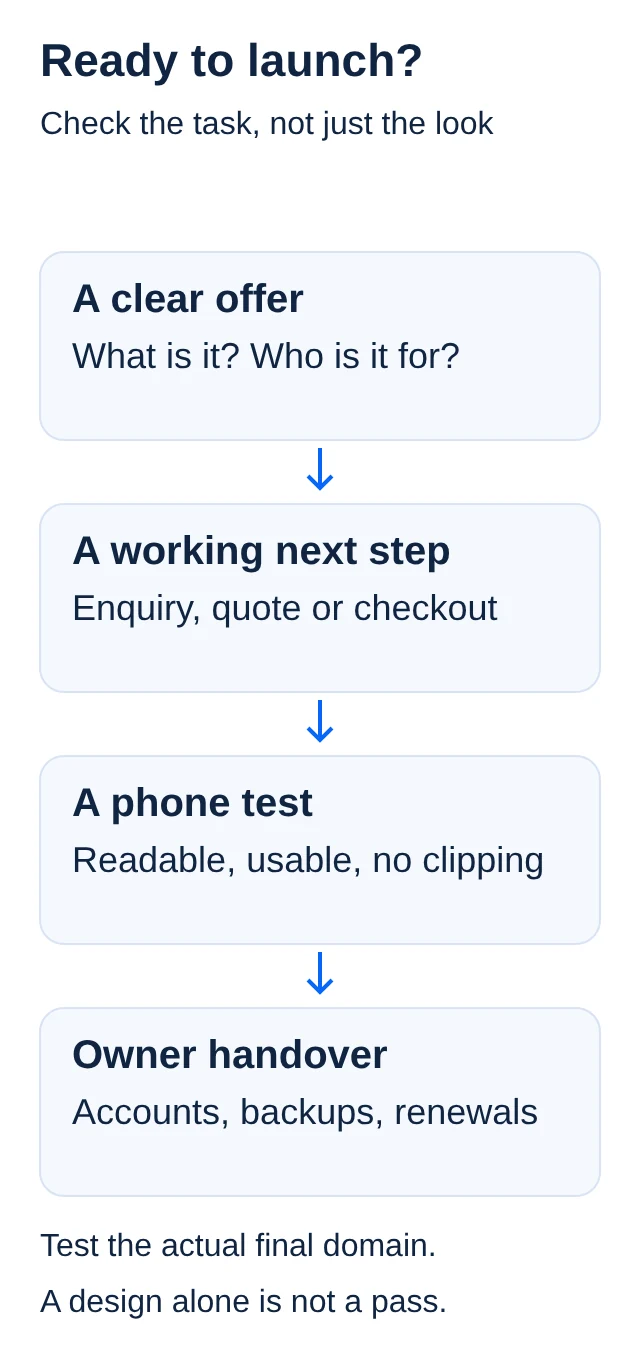
Use this checklist before giving final approval to a developer or publishing a site yourself. It is a practical review process, not a promise of sales, search ranking or legal compliance. Start with the smallest website that honestly supports the service you can deliver.
Small-business website launch: is the offer clear?
Open the homepage as if you have never heard of the business. Within the opening section, the words should explain what is offered, who it helps and what the visitor should do next. "Request a quote for home appliance repairs" gives a clearer task than a button labelled "Explore possibilities".
Say where the service is available when location matters. If the work is by appointment, say so. If prices depend on an inspection or a brief, explain how the quote is agreed rather than displaying a number that most customers cannot actually pay.
Choose one main next step for each page. That might be an enquiry, a booking request or a purchase. Other links can remain, but the page should not ask the visitor to guess which action starts the process. Check that the button label matches what happens after it is pressed.
Are the claims and examples honest?
Read every heading, testimonial, statistic and product label. Remove claims you cannot support. A sample design must be labelled as a sample. A demonstration sales chart must not look like evidence of real customer results. Do not leave a template's invented reviews or staff profiles in place.
Use photos, logos and illustrations you own or have permission to use. Keep the permission or licence information with the project records. A picture appearing in search results does not establish that you can use it on a business website.
Check the smaller details as carefully as the headline. A stock badge, an availability label or a statement about response time is a promise a customer may rely on. If a service is still planned, label it accurately instead of offering a checkout that cannot be fulfilled.
Can someone contact you and understand the terms?
Test the actual contact route. Send an agreed test enquiry and confirm where it arrives. A form that displays "sent" but never reaches the business is not a working enquiry process. Remove the test record afterwards if it is no longer needed.
For a quote-led service, explain what information the visitor should provide and how scope is confirmed. For a store, review delivery areas, charges, returns and the customer support route. If a payment or cancellation policy is unresolved, settle it before accepting orders rather than hiding the gap in a vague paragraph.
Privacy information should describe the tools and data actually used. If the site sends form entries to a service provider, do not claim everything stays only on the visitor's device. A copied privacy notice is not proof that the site's configuration or consent process is correct. Get suitable advice where needed.
Does it work on a phone?
Test the real pages on a phone, not only in a desktop preview. Read the offer without zooming. Open the navigation, tap the main action and complete the form. Try a long name and a valid email address. Check that the keyboard does not hide the submit button or an error message.
Look for sideways scrolling, cramped buttons, clipped headings and pop-ups covering the task. Keep text as text rather than placing the entire offer in an image. Google recommends useful, accessible content, mobile-friendly pages and HTTPS in its website guidance.
Images should be sized for their display rather than uploaded at their largest camera resolution. Give informative images useful alternative text; avoid describing decorative images as if they contain information. Ask the developer to check keyboard navigation and visible focus as well as touch interactions. A visual pass does not certify accessibility, but it can reveal issues worth fixing.
What should be checked for search?
Give each important public page a clear title and a description that matches its content. Use readable links between related pages. Confirm that public pages do not accidentally carry a noindex instruction, while private account pages and unfinished previews remain excluded as intended.
Search Console can help the owner see whether Google has discovered or indexed pages and whether it reports problems. Google's guidance says a sitemap can help discovery; it does not promise indexing. Do not mark a site "indexed" simply because a sitemap was submitted or a page opens in your browser.
Treat search work as maintenance. If you change page addresses, ask how old links will be handled. If a service is removed, do not leave links that send customers to a broken page or an unrelated offer. Keep the site useful for visitors even before search traffic arrives.
Keep control of accounts after handover
Write down the domain registrar, hosting service and any accounts the site depends on. Confirm who controls recovery details, renewal notices and billing. You should not discover during a renewal problem that the only account belongs to a developer you can no longer contact.
Ask for a clear handover: source or export where applicable, backup location, instructions for routine edits, and what support does and does not include. Agree which access the developer still needs and remove unnecessary access when the work is complete. Do not share passwords in a public project note.
List one-off and recurring charges separately. Ask whether domain renewal, email, paid extensions and maintenance are included. A launch payment is not necessarily the full cost of keeping the site available.
A final acceptance test
Open the final domain, visit every main navigation link, send a test enquiry and check the site at narrow and wide screen sizes. If payments are included, use an agreed safe test plan from the online-payment article. Save the results and the approved version before launch.
If you are still defining the offer, return to the starting-business decisions first. After launch, include website checks in your first-month administration routine. The goal is a site you can maintain and a customer journey you have actually tested.
Official sources
Checked for this article on 13 November 2026. The acceptance checklist is editorial guidance.