What should a small-business homepage include?
A useful homepage helps a visitor understand what you do and what to do next. It does not need to fit every fact about the business above the first scroll. Start with a clear service statement, then add the details that help a person decide whether to continue.
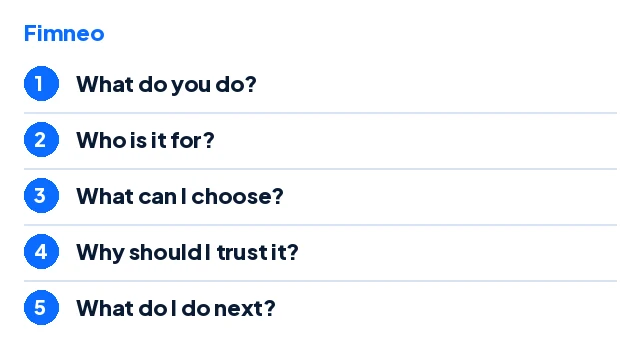
The alterations business below is a fictional example used to explain the checks. It is not a Fimneo customer story.
1. Say what you do
"Clothing alterations by appointment" is clearer than "Your partner in excellence." In this fictional example, the service is understandable before the visitor sees a slogan. Add who the service is for or the area served when that genuinely affects whether someone can use it.
2. Make the offer easy to scan
Group services under plain headings. For an alterations page, that could mean hems, zip replacements and fitting adjustments, if those services are actually offered. Avoid filling the page with every possible search phrase. A short, accurate list is more useful than a paragraph that promises everything.
3. Show honest evidence
Use real work with permission, explain the process, or show a clearly labelled demonstration. Do not fill an empty design with made-up reviews, customer numbers or partner logos. A new business can still be clear about what it does without pretending to have a history it has not earned.
4. Explain the next step
Choose a primary action that suits the service: ask about an appointment, request a quote or view the available products. The wording should describe what will happen. If the business must check availability before confirming a booking, do not label the action as an instant confirmed booking.
5. Make contact information easy to reach
Provide a clear contact route and a visible contact-page link. Include hours, service area and contact choices where relevant. Use only channels the business actually manages. A form is not a substitute for testing whether an enquiry reaches the right place.
Check it on a phone
Read the headline without zooming. Tap the main action. Check the menu and contact link. Look for cropped images and text hidden behind floating controls. Ask someone unfamiliar with the business to describe what it offers after a short look. Treat their answer as a practical check, not proof of a conversion rate.
Sources
Checked for this article on 16 November 2026. The explanations above are editorial guidance, not provider documentation.